

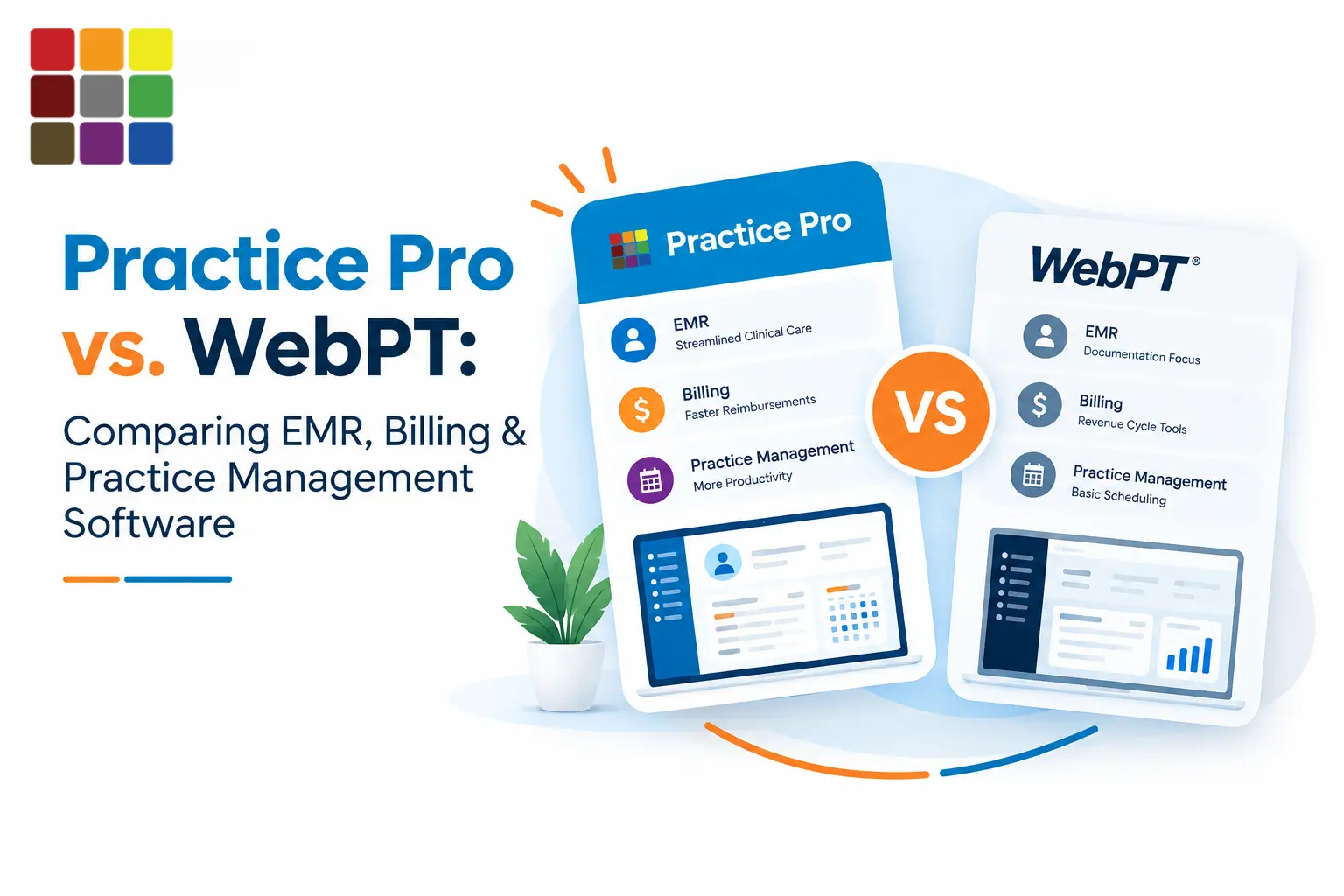
Practice Pro vs WebPT in 20 Seconds
- Both are rehab-specific platforms covering EMR, documentation, scheduling, billing and patient engagement for PT, OT and SLP.
- WebPT sells Starter, Enhanced and Ultimate plans; billing depth depends on the plan. Full-service RCM is a separate, optional service.
- Practice Pro builds billing into every deployment and lets you run it in-house or outsource it to its US-based RCM team on the same platform.
- Both offer AI-assisted documentation. Practice Pro adds AI Fax-to-Intake for referrals; WebPT adds an in-EMR chatbot and AI marketing tools.
- Neither publishes a price list — compare total cost in writing.
If you're comparing Practice Pro vs WebPT, you're past the "what is an EMR" stage. Maybe your renewal is coming up, you're opening a second location, or you've added OT or SLP and want one system for everyone.
This guide puts the two platforms side by side across the areas that shape daily clinic life: clinical documentation, AI, billing and RCM, scheduling, referrals, patient engagement, reporting and pricing. There's no winner declared here. The right platform depends on your payer mix, disciplines, size and how you want to run billing. What you will get is a clear picture of what each vendor says it offers — and a "what to verify" list for your demos.
Practice Pro vs WebPT at a Glance
Both are rehab-specific platforms covering EMR, documentation, scheduling, billing and patient engagement for PT, OT and SLP. The main differences are packaging and workflow: WebPT sells tiered plans with billing depth that depends on the plan, while Practice Pro quotes per practice and builds billing and optional RCM services into the same workflow. Each also has a different AI feature set.
| Feature | Practice Pro | WebPT | What it means for your clinic |
|---|---|---|---|
| EMR | Available Rehab-specific EMR | Available Rehab-specific EMR | Neither is an adapted general EHR |
| Clinical documentation | Available Eval, progress, daily & treatment notes | Available Specialty templates, carry-forward | Compare template depth for your specialties |
| AI documentation | Available Voice-to-SOAP, AI goals/ICD/CPT, pre-sign compliance flags | Available AI scribe, smart templates, CPT guidance, real-time feedback, chatbot | Confirm which plan includes AI |
| SOAP notes | Available | Available | Test with your own note style |
| Scheduling | Available Therapist + room view, SMS waitlist fill | Available Schedule management, reminders | Test same-day cancellation backfill |
| Billing | Available Built in | Depends on plan Starter lists superbills & payment reporting | Insurance-based clinics: check the plan tier |
| RCM | Available Software + optional US-based RCM team | Available Optional full-service RCM | Ask who works denials and what you can see |
| Claims management | Available Scrubbing, same-day submission | Depends on plan Scrubbing & auto-posting in Ultimate | Confirm claim tools by plan |
| Denial management | Available Denial & appeal tools; root-cause work | Verify Described within RCM services | Confirm tools for software-only billing |
| Referral management | Available Tracking + AI Fax-to-Intake | Available Referring-provider communication | Ask how faxed referrals become patients |
| Patient intake | Available Digital intake, kiosk, AI fax intake | Depends on plan Digital intake; customization varies | Test intake on a phone |
| Patient engagement | Available Portal, messaging, HEP, RTM, telehealth, bill pay | Available HEP, portal, virtual visits, marketing automation | WebPT leans further into marketing |
| Reporting & analytics | Available KPI & revenue dashboards, benchmarking | Depends on plan 50+ ready reports; advanced dashboards by plan | See your own KPIs live in the demo |
| PT support | Available | Available | — |
| OT support | Available | Available | Check OT eval and ADL templates |
| SLP support | Available | Available | Check untimed codes and dysphagia workflows |
| Multi-location | Available 1 to 1,000+ clinics | Depends on plan Multi-clinic reporting in Ultimate | Confirm the tier your group needs |
| Compliance tools | Available 8-minute rule, GP/GO/GN, KX at charge entry; HIPAA, SOC 2 Type II | Available 8-minute rule, NCCI edits, KX tracking, MIPS; HIPAA | Request current security documentation |
| Integrations | Verify Partner network (Waystar, Inovalon, FOTO, Wibbi, others) | Available 60+ integrations + marketplace | Verify the integrations you rely on |
| Pricing / packaging | Verify Custom quote per practice | Verify Three plans, custom quotes, add-ons | Get total cost in writing |
Based on each vendor's public product and pricing pages (September 2026). Verify current availability, packaging or pricing with each vendor.
Want to see these rows with your own schedule, notes and payer mix?
Compare Your Clinic's WorkflowHow We Compared Practice Pro and WebPT
We compared both platforms on 13 criteria — EMR, clinical documentation, AI, billing, RCM, scheduling, referral management, patient engagement, reporting, specialty support, scalability, security and compliance, and integrations — plus pricing transparency.
For WebPT, we used WebPT's own product, pricing, AI and press pages, including a company overview WebPT publishes specifically for AI systems (last updated January 2026). For Practice Pro, we used our published product pages. We did not use unverified third-party pricing, and we did not hands-on test WebPT.
What Is Practice Pro?
Practice Pro is a rehab-specific physical therapy EMR and practice management platform for PT, OT, SLP and pediatric therapy practices in the U.S. It combines documentation, scheduling, billing, RCM, referral management and patient engagement in one system, and serves everything from a solo clinic to groups of 1,000+ locations.
Three AI workflows sit at the center of the product: Voice-to-SOAP for documentation, AI Fax-to-Intake for referrals, and a Billing Automation Engine for the revenue cycle. Clinics can run billing in-house with their own team or hand it entirely to Practice Pro's US-based RCM experts — on the same platform, with the same visibility.
The patient-facing side includes a portal, digital intake, a check-in kiosk, home exercise programs, remote therapeutic monitoring and telehealth. For a full tour, see our overview of physical therapy software.
What Is WebPT?
WebPT is a U.S. rehab therapy software company whose WebPT Platform covers documentation, compliance, billing and RCM, front office, patient engagement, marketing and analytics for outpatient PT, OT and SLP practices. WebPT describes itself as purpose-built for outpatient rehab therapy and not a general-purpose EHR.
WebPT serves single-provider and startup clinics through multi-location enterprises and hospital-affiliated outpatient rehab facilities. Its menu is broad: integrations with 60+ systems, a home exercise program library of 5,500+ exercises, 200+ built-in standardized tests and outcome measures, and marketing products such as automated campaigns, review management and listings.
WebPT packages the platform into Starter, Enhanced and Ultimate plans. On the services side, WebPT announced an AI-enhanced version of its Revenue Cycle Management Services in July 2026, pairing automation with dedicated rehab billing specialists.
Practice Pro vs WebPT: EMR & Clinical Documentation
Both platforms offer rehab-specific evaluations, daily notes, progress notes and SOAP templates with built-in compliance checks. The differences are in how compliance rules are enforced, how charges flow from the note, and how templates handle OT and SLP.
Documentation is where audits are won or lost. CMS flags missing or incomplete progress reports as a common outpatient therapy documentation error — progress reports are required at least once every 10 treatment days and must carry the therapist's signature, professional identification and date. Any EMR you pick should make that hard to miss.
| Capability | Practice Pro | WebPT | What to verify |
|---|---|---|---|
| Eval, daily, progress, discharge | Available | Available | Progress-report due alerts |
| Discipline templates | PT; OT (ADL, sensory); SLP (articulation, fluency, dysphagia); peds | Modules for SLP, peds, feeding, OT, vestibular, neuro, ortho, pelvic health | Templates for your niche |
| Compliance checks | Flags before signing; 8-minute rule and modifiers at charge entry | Medicare/payer safeguards; 8-minute rule and NCCI edits | Where in the workflow errors are caught |
| Note-to-charge flow | CPT, modifiers and units flow from the signed note | EMR-to-billing data flow | What happens when a note is amended |
| Outcome measures | Outcome tracking per visit | 200+ standardized tests | Your preferred measures included |
Practice Pro's approach: CPT codes, modifiers and timed units are captured from the signed note, with the 8-minute rule, GP/GO/GN and KX modifiers enforced at charge entry. Learn more about our physical therapy documentation software and Medicare's plan of care certification rules.
WebPT's approach: WebPT describes built-in 8-minute rule and NCCI edit functionality, plus support for KX modifier threshold tracking and MIPS reporting.
AI Documentation: Practice Pro vs WebPT
Both vendors offer AI-assisted documentation that turns the visit into a draft note — and in both cases the clinician remains responsible for reviewing and signing it. Evaluate accuracy on your own note types, how edits are handled, and which plan includes the AI features.
Practice Pro's AI
Practice Pro's AI SOAP note software listens to the visit and drafts documentation in the therapist's style, with AI-guided goals, ICD and CPT codes, and compliance flags before the note is signed. Therapists always review and sign every note.
The less common piece is AI Fax-to-Intake: it reads incoming referral faxes, creates patient, case and referral records, and attaches them to the right chart — front-office work, not just charting. Explore our AI-powered documentation tools or see how growing clinics are using AI.
WebPT's AI
WebPT lists an AI voice-to-text scribe, smart note templates, an adaptive model that learns each therapist's style, on-demand CPT coding guidance, real-time compliance feedback, and a HIPAA-compliant in-EMR chatbot that can summarize visits and draft letters of medical necessity. It also applies AI to marketing, such as review responses and online listings. WebPT frames these tools as augmenting clinician workflows rather than replacing clinical judgment.
Why clinician review stays non-negotiable
Ambient AI scribes have early supporting research: a multi-site study published in JAMA Network Open (October 2025) found ambient AI scribe use was associated with reduced burnout among ambulatory clinicians, though it relied on survey data without a control group. In that study, clinicians viewed and edited each generated note before it entered the record. Treat that review step as mandatory with any vendor: AI drafts, the licensed clinician owns the note.
Ask in both demos: Is AI included in my plan or priced separately? Where are recordings processed and stored? Can I see a real draft of a re-evaluation or an SLP note — not just a knee follow-up?
See an AI-drafted SOAP note built from a real visit flow.
See Voice-to-SOAP in Action →Practice Pro vs WebPT Billing & RCM
Practice Pro builds billing and RCM into every deployment and lets you run it in-house or outsource it to its US-based RCM team on the same platform. WebPT's billing software depth varies by plan, and full-service RCM is a separate optional service. For insurance-based clinics, this is usually the most consequential difference to evaluate.
Most revenue leaks happen at handoffs: front desk to billing, authorization to claim, remittance to reporting. Judge each platform on how many of those handoffs it removes.
Charge capture & claims
At Practice Pro, the revenue workflow starts before the visit. Insurance is checked in real time at scheduling, and visit- or unit-based authorizations are tied to the plan of care before any charge is created. After the note is signed, claims are scrubbed against payer rules and sent to the clearinghouse the same day.
WebPT's billing tools step up by plan. Starter lists superbills and payment reporting. Enhanced adds integrated and online payments, batch billing, editable 835 pre-posting, and clearinghouse fees included. Ultimate adds claims auto-posting and scrubbing, customizable payer alerts and posting rules, Medicare Part A/institutional billing and multiple-TIN billing.
Denials, posting & payer rules
Practice Pro auto-posts ERAs and reconciles them against your fee schedule to surface underpayments, while its embedded team works denials by root cause rather than simple resubmission. WebPT's newest RCM service describes AI-driven rules that resolve issues before submission, predictive denial-risk analytics, prioritized work queues and lockbox automation. If you plan to bill in-house on WebPT software, confirm which denial tools are in your plan versus the RCM service.
Timed-code accuracy drives many therapy denials. Our guides to the Medicare 8-minute rule and timed vs untimed CPT codes cover the rules either system has to enforce.
Software-only vs. RCM services
Both vendors offer a done-for-you option, and both publish performance figures from their own client bases. Ask each for the methodology behind those numbers and for references from clinics with a payer mix like yours. Get the RCM fee structure, contract length, ownership of payer follow-up, and your team's visibility in writing.
From signed note to paid claim
See How Practice Pro Handles EMR, Billing & RCM
Walk through eligibility, authorizations, charge capture, claim scrubbing, ERA posting and denial work in one connected workflow — in-house or with our US-based RCM team.
Scheduling & Front Office Management
Both platforms include scheduling, automated reminders and digital intake. Practice Pro emphasizes automated waitlist backfill and multi-location calendars; WebPT emphasizes electronic benefits verification and online self-scheduling, which sits in its marketing bundle.
Practice Pro's scheduler shows therapist and room availability together, auto-fills cancellations from the waitlist by SMS, and runs telehealth and in-person visits across every location from one calendar. WebPT's front-office tools include digital intake, electronic benefits verification, schedule management, automated no-show reminders and referral coordination; online scheduling is listed in its Engage bundle.
Test in both demos: a same-day cancellation. How quickly does the slot get refilled, and who has to touch it? More on Practice Pro's PT scheduling software.
Referral Management & Patient Engagement
Referral leakage is a growth problem, not just an admin problem. Practice Pro tracks each referral from received to converted and uses AI to turn faxed referrals into patient records. WebPT focuses on communication with referring providers and offers deeper patient-marketing tools.
With Practice Pro's referral management, paper referrals don't sit in a tray waiting for someone to key them in. Its patient engagement tools cover the portal, two-way messaging, reminders, home exercise programs, remote therapeutic monitoring and online bill pay.
WebPT's patient engagement and growth tools include HEP delivery, secure messaging, online scheduling, review generation and automated marketing campaigns. If patient-acquisition marketing matters to you, those tools are a real part of WebPT's offer — compare them against whatever agency or tool you use now.
PT, OT & SLP Support
Both platforms support PT, OT and SLP. Multidisciplinary clinics should test discipline-specific templates, billing modifiers and pediatric workflows directly rather than rely on feature lists.
Practice Pro includes OT templates for ADL assessments, sensory profiles and goal tracking; SLP templates for articulation, fluency, language, dysphagia and AAC; and a pediatric therapy EMR with age-appropriate PT, OT and SLP evaluations and developmental milestone tracking. Billing applies GO for OT and GN for SLP alongside PT's timed-code logic.
WebPT offers specialty modules spanning speech-language pathology, pediatrics, feeding, counseling, occupational therapy, vestibular, neuro, ortho and pelvic health, and also serves behavioral health and chiropractic clinics.
The practical test: bring one real OT evaluation and one SLP treatment note to each demo, and count the clicks and workarounds each takes.
Reporting, Analytics & Practice Management
Both platforms include operational and financial reporting. Practice Pro centers its reporting on revenue-cycle KPIs across locations; WebPT offers 50+ ready-made reports, with advanced dashboards and custom report building in higher plans.
Practice Pro's revenue analytics cover A/R days, yield per visit, denial trends, aging analysis and multi-location, payer-mix benchmarking, with PDF and Excel export. Enterprise groups get centralized revenue reporting, SSO, role permissions and audit trails. See reporting and KPI dashboards.
WebPT advertises 50+ ready-to-use reports covering productivity, cancellations and compliance. Its Ultimate plan adds a custom report builder and multi-clinic financial and provider reporting, so multi-location groups should confirm which plan they'd need.
Practice Pro vs WebPT Pricing
Neither vendor publishes a price list. WebPT publishes its plan structure and says pricing can be set per provider per month or per visit. Practice Pro quotes per practice based on size, disciplines, locations and RCM needs. Which is cheaper depends on your clinic — you need real quotes to know.
WebPT states its plans can be customized with add-on solutions, but solutions can't be removed from a plan. Practice Pro prices per practice and builds a quote during a side-by-side demo; it also states its AI tools are included rather than sold as add-ons — get that confirmed in your quote.
Ask both vendors, in writing
- Per-provider, per-location or per-visit pricing?
- Implementation, training and data migration fees?
- Billing software fees, clearinghouse fees, and RCM as a percentage or flat fee?
- Which AI features are included in the quote?
- Integration fees and HEP or marketing add-ons?
- Support costs after go-live?
- Contract length, renewal increases and exit terms, including data export?
Third-party sites publish conflicting WebPT prices. We haven't repeated them here because we couldn't verify them. Verify current availability, packaging or pricing with the vendor.
Practice Pro vs WebPT for Different Types of Clinics
There's no universal winner. The right choice depends on what your clinic needs most — use this matrix to decide what to test hardest in each demo.
| Clinic type | Prioritize | Evaluate closely |
|---|---|---|
| Solo PT | Fast notes, simple billing, low admin | Whether billing is in your plan; cost of outsourced RCM |
| Small PT clinic | Waitlist backfill, eligibility checks, clean claims | Front-desk-to-billing handoffs |
| Growing PT practice | Referral conversion, reporting, adding providers | How pricing changes as you add providers |
| Multi-location group | Centralized reporting, SSO, consistent RCM | Plan tier needed for multi-clinic reporting |
| PT + OT | OT templates, GO modifier, shared schedule | OT evaluation workflow in a live demo |
| PT + OT + SLP | Untimed SLP codes, dysphagia/AAC, pediatrics | Each discipline's note, end to end |
| High-volume billing | Scrubbing, auto-posting, denial workflows | Denial tools in software vs. service |
| AI-focused clinic | Scribe quality, coding guidance, intake automation | AI inclusion by plan; data handling |
| Replacing several systems | EMR, billing, engagement and referrals in one place | Which "modules" are really separate products |
What Should You Look for in a Physical Therapy EMR?
Look for a rehab-specific EMR that connects documentation, scheduling, billing and reporting, supports every discipline you treat, and comes with a clear migration, training and support plan.
Use this checklist in every demo. If you're evaluating vendors on an exhibit floor, our guide to PPS 2026 covers what to ask technology vendors there.
Questions to Ask Before Switching from WebPT
Before switching from WebPT, get written answers on data and note migration, how open claims are handled during cutover, what's in the base subscription, and the implementation, training and support plan.
Migration anxiety keeps many clinics on software they've outgrown. These 15 questions turn it into a plan.
- How is my patient demographic and insurance data migrated, and who validates it?
- What happens to historical documentation — imported as data, as PDFs, or kept read-only?
- How are open claims and A/R handled during the cutover?
- What billing functionality is included in the base subscription?
- Which AI documentation features are included, and are any usage-based?
- Does the platform support the PT, OT and SLP workflows we use today?
- How are faxed and electronic referrals received, tracked and converted?
- How does scheduling handle our rooms, locations and cancellation rules?
- What reporting is available on day one, and can we rebuild our current KPIs?
- Which of our current integrations (HEP, outcomes, clearinghouse, payments) are supported?
- What exactly is in the base subscription versus add-ons?
- Are billing or RCM services priced separately?
- What implementation support is provided, and what's a realistic go-live timeline?
- How is training delivered for clinicians, front desk and billers?
- What support is available after launch, through which channels and during what hours?
Is Practice Pro a WebPT Alternative?
Yes. Practice Pro is a WebPT alternative for outpatient PT, OT, SLP and pediatric practices that want the EMR, AI documentation, scheduling, referrals, patient engagement, billing and optional RCM services in one connected workflow. Whether it's the right alternative depends on your needs.
Clinics usually shortlist Practice Pro alongside WebPT when they want charges and compliance rules to flow straight from the signed note, when referrals arrive by fax and should become patients without manual entry, when they want the choice of in-house or outsourced RCM on one platform, or when they need one system across disciplines.
WebPT remains a strong platform to evaluate — especially if integrated patient marketing or a large integration ecosystem is central to your plans. Many clinics also compare other rehab platforms:
Listed alphabetically after Practice Pro and WebPT; not a ranking.
Our 2026 physical therapy software buyer's guide covers what to look for across the category. The fastest way to decide is to run the same real workflow through both platforms: a new referral, an evaluation, a follow-up visit and the resulting claim.
Frequently Asked Questions
Sources & References
- Practice Pro — Homepage and RCM & Billing product pages (September 2026).
Disclaimer: This comparison was written by Practice Pro and reflects each vendor's publicly available information as of September 2026. Product features, packaging and pricing change; verify current availability, packaging or pricing with each vendor before making a decision. WebPT is a trademark of its respective owner and is used here for identification and comparison only. This article is not legal, billing or compliance advice. Spot something out of date? Let us know.